

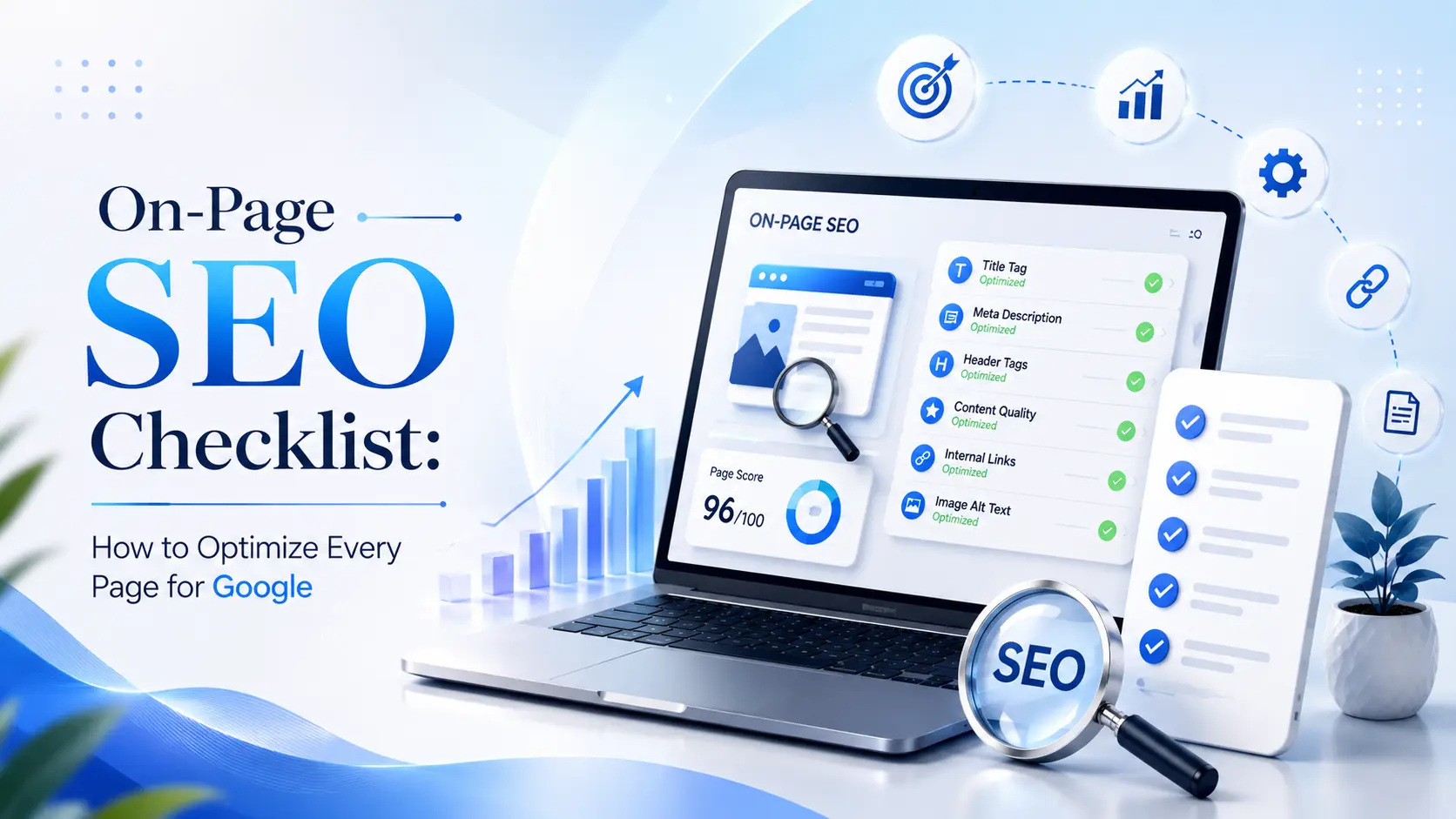
A page can contain useful information and still struggle to perform well in search if its purpose, content structure, title, headings, internal links, or other page elements are poorly optimized.
This is where On-Page SEO comes in.
On-Page SEO is about improving the elements of an individual webpage so that it clearly serves the user’s search intent and is easier for both visitors and search engines to understand. It goes far beyond simply adding keywords to a page.
In this guide, you’ll find a practical On-Page SEO checklist covering 15 important elements you should review before and after publishing a webpage.
What Is On-Page SEO?
On-Page SEO is the process of optimizing the content and page-level elements of a webpage to make it useful, relevant, understandable, and accessible to users and search engines. It includes search intent, titles, headings, content, internal links, URLs, images, structured data, and other elements that help communicate what a page is about.
Google’s Search Essentials recommends creating helpful, reliable, people-first content and using words people would use to find the content in prominent, descriptive locations on the page.
On-Page SEO Checklist: 15 Things to Optimize
1. Match the Page With Search Intent
The first step in On-Page SEO is making sure your page actually satisfies the reason behind the user’s search.
Search intent is the underlying purpose of a search query.
Common types include:
- Informational: The user wants to learn something.
- Commercial: The user is researching a product, service, or solution.
- Transactional: The user is ready to take an action or make a purchase.
- Navigational: The user is looking for a specific website or page.
For example, someone searching “what is technical SEO” probably wants an explanation, while someone searching “SEO services in Ahmedabad” is more likely evaluating service providers.
Your page format, content depth, examples, and call to action should match that intent.
Quick check: Before optimizing a page, ask: “What does someone actually want after typing this query into Google?”
2. Create a Clear and Relevant SEO Title
Your SEO title tells users and search engines what the page is about.
A good title should be:
- Descriptive
- Concise
- Relevant to the page
- Unique
- Written for the actual content
- Natural rather than keyword-stuffed
For example:
Weak:
SEO | SEO | SEO Services | Best SEO
Better:
On-Page SEO Checklist: 15 Ways to Optimize Your Pages
Google uses multiple sources when generating title links in search results, including the <title> element, headings, visible page text, anchor text, and other signals.
So don’t think of the title tag as a place to insert every keyword variation.
Its primary job is to accurately describe the page.
3. Write a Useful Meta Description
A meta description is a short summary of a webpage that can sometimes be used by Google as the description shown in search results.
A good meta description should:
- Explain what the page offers
- Match the actual content
- Be unique to the page
- Give users a reason to click
- Avoid keyword stuffing
For example:
Weak:
SEO, SEO checklist, SEO tips, best SEO guide, SEO optimization.
Better:
Learn how to optimize every webpage with this practical On-Page SEO checklist covering titles, headings, content, URLs, images, and internal links.
One important point: Google does not always use the meta description you provide. Google primarily generates snippets from page content and may use the meta description when it provides a more useful description for the searcher.
So your actual page content needs to communicate its topic clearly, too.
4. Optimize the H1 Heading
Your H1 should clearly communicate the main topic of the page.
For this article, for example:
H1:
On-Page SEO Checklist: How to Optimize Every Page for Google
A useful H1 should:
- Clearly describe the page
- Match the primary topic
- Make sense to the reader
- Avoid unnecessary keyword repetition
Don’t try to turn the H1 into a list of every keyword you want to rank for.
The goal is clarity.
5. Use Logical H2 and H3 Headings
Good headings make long content easier to understand and navigate.
For example:
H1:
On-Page SEO Checklist
H2:
Optimize Your SEO Title
H2:
Improve Your Meta Description
H2:
Optimize Internal Links
H3:
How to Choose Internal Link Anchor Text
This creates a logical content hierarchy.
Use headings to organize actual sections not simply as a way to insert more keywords.
Question-based headings can also be useful when they genuinely match what readers want to know, such as:
- What is On-Page SEO?
- How do I optimize a page for Google?
- How many keywords should I use on a page?
6. Make the First Paragraph Clear and Relevant
The opening section of your page should quickly tell visitors what they’re going to get.
A strong introduction should answer:
- What is this page about?
- Who is it for?
- What problem does it solve?
- What will the reader learn?
Don’t spend the first 200 words talking about how important the internet is.
Get to the point.
For example, a blog about On-Page SEO should introduce the optimization process quickly instead of beginning with a generic history of search engines.
This also makes the page easier for users and potentially search systems to understand.
7. Optimize Content Around the Topic, Not Keyword Repetition
One of the biggest On-Page SEO mistakes is treating a keyword like a word-count target.
If your target keyword is:
on-page SEO checklist
you don’t need to repeat that exact phrase in every paragraph.
Instead, naturally cover related concepts such as:
- On-Page SEO
- page optimization
- search intent
- title tags
- headings
- internal links
- image SEO
- content structure
- semantic relevance
- structured data
- user experience
Google’s guidance emphasizes using words that people would use to find your content in prominent and descriptive locations, rather than recommending a particular keyword-density formula.
Natural keyword usage
Forced:
Our On-Page SEO checklist is the best On-Page SEO checklist for On-Page SEO optimization because this On-Page SEO checklist helps with On-Page SEO.
Natural:
A good page optimization process starts with search intent, then improves the title, headings, content structure, internal links, images, and other relevant page elements.
The second version communicates the topic without sounding written for a search engine.
8. Demonstrate Experience, Expertise and Trust
Good SEO content should give readers a reason to trust the information.
You can demonstrate expertise through:
- Practical examples
- Original explanations
- Real processes
- Accurate information
- Clear sourcing
- Relevant author information
- First-hand experience when you genuinely have it
- Helpful observations that go beyond obvious advice
For example, instead of simply saying:
“Optimize your internal links.”
Explain what to look for:
“When reviewing internal links, check whether your most important service and category pages can be reached from relevant content without forcing links into unrelated paragraphs.”
That gives the reader something actionable.
Do not invent case studies, rankings, traffic numbers, certifications, or client results.
Google’s people-first content guidance emphasizes originality, substantial value, expertise, and content that readers can trust.
9. Optimize Internal Links
Internal links connect pages within your website.
They can help users discover related information and help search engines understand the relationships between pages
Good internal linking should:
- Connect related topics
- Help users find the next useful resource
- Use descriptive anchor text
- Support important pages
- Make sense in context
Avoid adding links just to increase the number of internal links on a page.
Think about the reader first.
10. Optimize Your URLs
A good URL should give users an idea of what the page contains.
For example:
Better:
example.com/on-page-seo-checklist/
Less useful:
example.com/page?id=82917
A useful URL is generally:
- Short
- Descriptive
- Readable
- Relevant
- Consistent with the site’s structure
Don’t continuously change URLs just to make them shorter.
If an existing page already has a stable URL and performs well, unnecessary URL changes can create additional migration and redirect work.
11. Optimize Images for SEO and Accessibility
Images can improve understanding and make content easier to consume, but they should be optimized properly.
Check:
- Image relevance
- File size
- Image dimensions
- Responsive display
- Descriptive filenames
- Useful alt text
- Appropriate image format
Alt text should describe the meaningful content or function of an image.
Good:
alt=”On-page SEO checklist showing title, headings and internal links”
Poor:
alt=”best SEO SEO on page SEO services Ahmedabad”
The second example is keyword stuffing and does not meaningfully describe the image.
Remember that accessibility comes first. If an image is purely decorative, its implementation should reflect that rather than forcing keywords into its alt text.
12. Improve Content Readability and Page Experience
A page can be technically optimized and still be difficult to use.
Improve readability with:
- Short paragraphs
- Clear headings
- Bullet points
- Numbered lists
- Tables were useful
- Adequate spacing
- Clear navigation
- Descriptive links
- Mobile-friendly layouts
Don’t make every paragraph one sentence just because you think it is an SEO requirement.
Instead, structure information according to how people naturally read and understand the topic.
For example, a 10-point comparison is usually easier to scan as a table than as ten large paragraphs.
13. Add Relevant Structured Data Where Appropriate
Structured data provides machine-readable information that can help search engines understand certain types of content.
Depending on the page, relevant structured data may include:
- Article
- Breadcrumb
- Product
- Organization
- LocalBusiness
- Other supported types
However, structured data should accurately represent the visible content of the page.
Don’t add irrelevant schema simply because you want more search features.
Also, structured data does not guarantee a rich result or special appearance in Google Search. It can make a page eligible for certain search features when the requirements are met.
For AI search, there is also no special “AI Overview schema” that you need to add. Google’s current guidance says the same foundational SEO practices remain relevant for AI Overviews and AI Mode.
14. Strengthen Topical Coverage
A page should answer the important questions a reader is likely to have about its topic.
For example, an article targeting On-Page SEO shouldn’t stop after explaining title tags.
It can also cover:
- Search intent
- Meta descriptions
- H1 and H2 headings
- Content optimization
- Internal links
- URLs
- Image SEO
- Structured data
- Common mistakes
- FAQs
- On-Page vs Technical SEO
The goal isn’t to make the page as long as possible.
Complete does not mean unnecessarily lengthy.
A focused 1,500-word page that thoroughly answers the user’s questions can be more useful than a 4,000-word article filled with repetition.
Google’s guidance specifically encourages content that provides substantial value rather than content created primarily to manipulate search rankings.
15. Check the Page Before and After Publishing
Before publishing an important webpage, run a final On-Page SEO review.
Check:
- Search intent
- SEO title
- Meta description
- H1
- H2/H3 structure
- Main content
- Internal links
- External references where useful
- Images
- Alt text
- URL
- Structured data
- Mobile experience
- Page performance
- Indexability
- Broken links
And don’t consider the job finished forever.
Pages can become outdated, internal links can break, search intent can change, competitors can publish better resources, and business offerings can evolve.
Regularly reviewing important pages is therefore a practical part of maintaining SEO.
Quick On-Page SEO Checklist
| On-Page SEO Element | What to Check | Priority |
| Search Intent | Page satisfies the actual query | High |
| SEO Title | Clear, relevant and descriptive | High |
| Meta Description | Accurate and useful summary | Medium |
| H1 | Clearly communicates the page topic | High |
| H2/H3 | Logical content structure | Medium |
| Main Content | Useful and topic-focused | High |
| Internal Links | Relevant pages are connected | High |
| URL | Clean and descriptive | Medium |
| Images | Relevant, optimized and accessible | Medium |
| Alt Text | Meaningful images are described | Medium |
| Readability | Easy to scan and use | Medium |
| Structured Data | Relevant and accurate | Medium |
| Topical Coverage | Important questions addressed | High |
| Mobile Experience | Page works well on mobile | High |
| Indexability | An important page can be discovered/indexed | High |
On-Page SEO vs Technical SEO: What’s the Difference?
On-Page SEO focuses mainly on the content and page-level elements of individual webpages, while Technical SEO focuses on the technical foundation that allows search engines to crawl, process, and index a website.
For example:
On-Page SEO includes:
- Titles
- Headings
- Content
- Search intent
- Internal links
- Images
- URLs
- Structured data
Technical SEO includes:
- Crawlability
- Indexability
- XML sitemaps
- Robots.txt
- Server errors
- Redirects
- Website architecture
- Technical performance
Both work together.
A page with excellent content can still have problems if search engines cannot properly access or index it. Likewise, a technically perfect website still needs useful, relevant content to satisfy searchers.
10 Common On-Page SEO Mistakes to Avoid
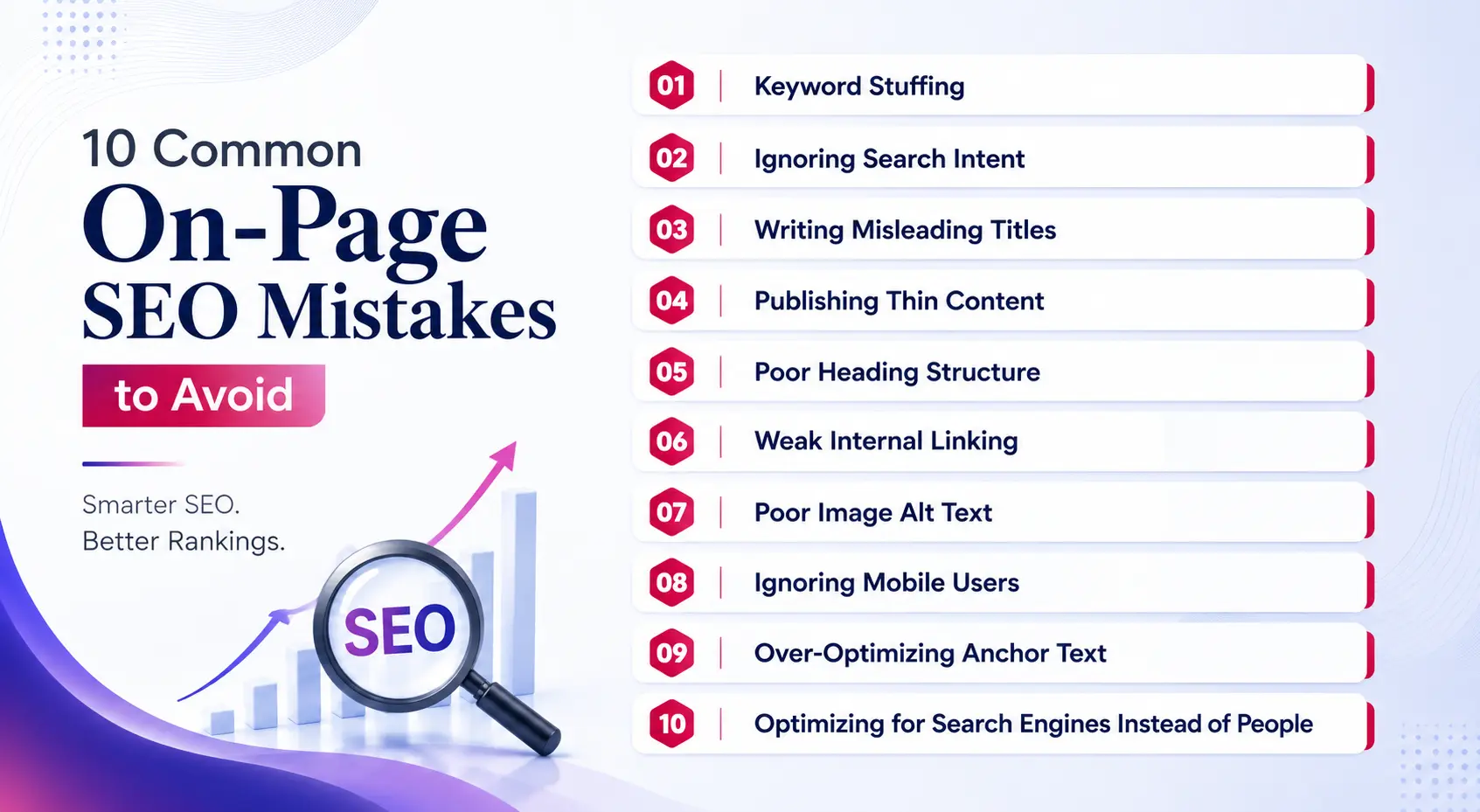
1. Keyword Stuffing
Repeating the same keyword excessively can make content unnatural.
2. Ignoring Search Intent
A page can target the right words but still fail to satisfy what the searcher actually wants.
3. Writing Misleading Titles
A title should accurately represent the page content rather than use clickbait.
4. Publishing Thin Content
Avoid pages that provide little useful information or simply repeat obvious points.
5. Poor Heading Structure
Don’t use headings randomly. Organize content logically.
6. Weak Internal Linking
Important pages should be connected through useful, relevant internal links.
7. Poor Image Alt Text
Don’t use alt text as a keyword field. Describe meaningful images accurately.
8. Ignoring Mobile Users
A page should remain easy to read and navigate on smaller screens.
9. Over-Optimizing Anchor Text
Internal links should sound natural and help users understand where the link leads.
10. Optimizing for Search Engines Instead of People
The ultimate goal should be to create a page that solves the user’s problem clearly and completely.
How Do I Optimize a Page for Google?
To optimize a page for Google, first match it to the user’s search intent, then create a clear title and H1, organize the content with useful headings, answer the main question thoroughly, add relevant internal links, optimize images and URLs, and ensure the page is technically accessible and mobile-friendly.
Google’s Search Essentials emphasize helpful, reliable, people-first content along with crawlable links and clear, descriptive page information.
Before-Publishing On-Page SEO Checklist
- Search intent is clear
- SEO title is relevant
- Meta description accurately summarizes the page
- One clear H1 is used
- H2/H3 hierarchy is logical
- Content answers the main query
- Important related questions are covered
- Internal links are relevant
- URL is clean and descriptive
- Images are optimized
- Alt text is descriptive where appropriate
- Mobile experience has been checked
- The important page is indexable
- Structured data is accurate where applicable
- Internal links are not broken
- Content has been reviewed for accuracy and originality
Conclusion
A strong On-Page SEO checklist is not simply a list of places where you should insert keywords.
Effective page optimization starts with search intent and then brings together useful content, clear titles, logical headings, relevant internal links, descriptive URLs, accessible images, appropriate structured data, and a good user experience.
For businesses, the most important question is simple:
Does this page clearly answer what the searcher came to Google to find?
If the answer is yes and the page is technically accessible, useful, accurate, and well-structured, you have a much stronger SEO foundation.
For businesses that want help improving their website’s overall search visibility, SRS Pro also provides SEO services covering different areas of search engine optimization.
Frequently Asked Questions
What is On-Page SEO?
On-Page SEO is the process of optimizing the content and page-level elements of a webpage so that it clearly satisfies user intent and can be better understood by search engines. It includes titles, headings, content, URLs, internal links, images, structured data, and other relevant page elements.
What is included in an On-Page SEO checklist?
An On-Page SEO checklist can include search intent, title tags, meta descriptions, H1 and heading structure, content quality, internal links, URLs, image optimization, structured data, mobile usability, readability, topical coverage, and indexability.
How do I optimize a page for Google?
Start by understanding the search intent behind the query. Then create useful content that satisfies that intent, write a clear title and H1, organize the page with descriptive headings, add relevant internal links, optimize images and URLs, and make sure the page is accessible and usable on mobile devices.
Is the SEO title important?
Yes. The title is an important way to communicate the topic of a webpage to users and search engines. Google uses the <title> element along with other sources when generating title links in Search. A good title should be unique, descriptive, concise, and accurately reflect the page.
Does a meta description affect SEO rankings?
A meta description is useful for summarizing a page and can influence the snippet shown in search results, but you should not treat it as a direct ranking lever. Google primarily generates snippets from page content and may use the meta description when it provides a better description of the page.
How many keywords should I use on one page?
There is no ideal number of times a keyword should appear on a page. Focus on covering the topic naturally and use relevant terminology where it helps readers understand the subject. Repeating a keyword simply to reach a specific density can make content less useful.
Does H1 affect SEO?
An H1 helps communicate the main topic of a page and provides structure for readers. However, having a particular number of H1 tags or inserting an exact keyword into an H1 does not guarantee better rankings. Focus on creating a clear heading that accurately describes the page.
How do internal links help On-Page SEO?
Internal links help users navigate between related pages and help search engines discover and understand relationships between pages on your website. Relevant internal links can also guide visitors toward useful supporting information or important commercial pages.
What is the difference between On-Page SEO and Technical SEO?
On-Page SEO focuses primarily on individual page content and elements such as titles, headings, content, internal links, URLs, and images. Technical SEO focuses on the website’s technical foundation, including crawling, indexing, redirects, site architecture, sitemaps, and performance.
How often should I optimize existing website pages?
There is no universal schedule. Review important pages when their information changes, search intent evolves, performance drops, new competitors appear, or the business changes its products or services. Regular SEO audits can help identify pages that need updating or improvement.